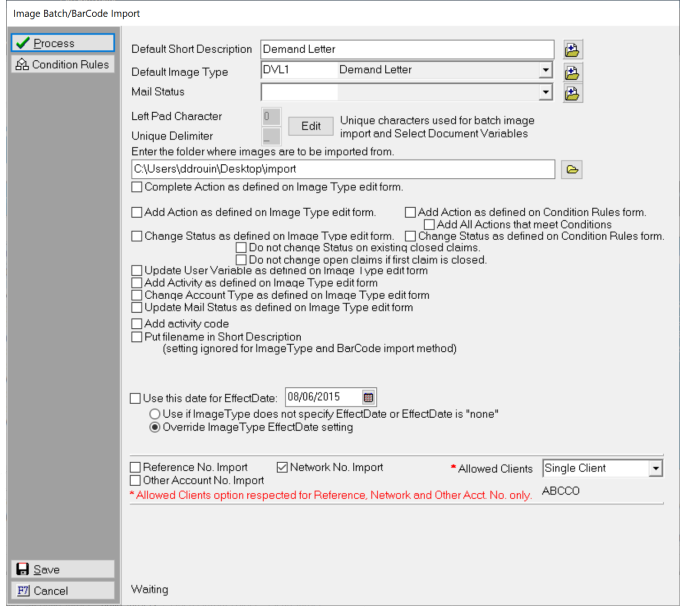
If you have duplicate reference, network or other accounts numbers across client making it difficult to import images, this feature may help you. This feature will allow you to narrow the search for accounts by client and reference number, network number or other account number to limit the possibility of finding duplicates
This is a Version 11 Feature. For information about the purchase of Version 11, please contact Sales.
From the menu bar, select System, Imaging, Import.
Select to import by Reference, Network or Other account number. Next click the drop down list for Allowed Clients.
Select from the following:
All Clients: The process will look through all accounts for the matching account number. If more than one account is found to have a duplicate number the image will not be imported.
Client Group: The process will look through accounts with Clients in the selected group to find the matching account number. If more than one account is found within the group to have a duplicate number the image will not be imported.
Single Client: The process will look through accounts for this Client to find the matching account number. If more than one account is found to have a duplicate number the image will not be imported.
Client Set: The process will look through accounts with Clients in the selected set to find the matching account number. If more than one account is found within the set to have a duplicate number the image will not be imported.
The Client Selection is for Reference Number, Network Number and Other Account Number imports only.